Why Trust AllQbanks? We help thousands of IMGs and medical students prepare for the exams every year. Read our Editorial Policy.
You've studied for months. Your NBME scores are solid. Now you need to know what actually happens when you walk into a Prometric center on exam day.
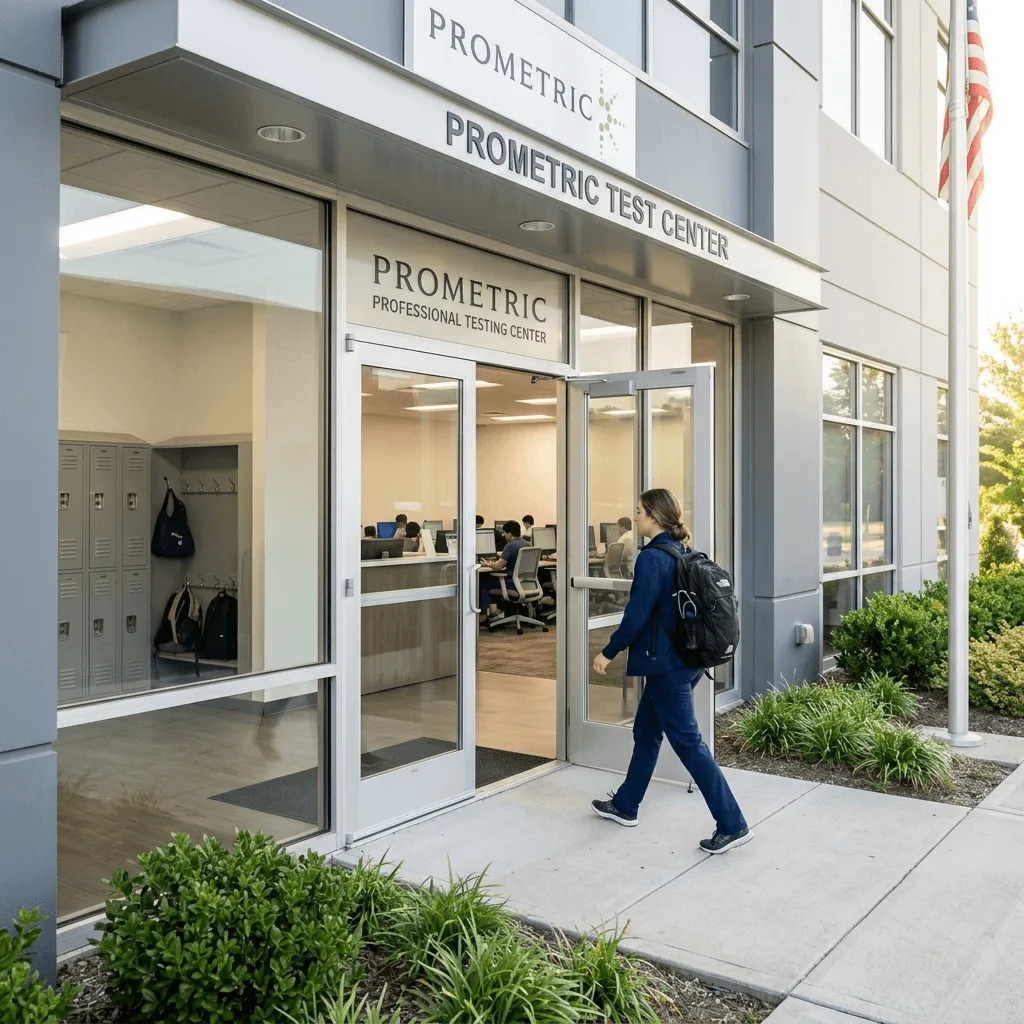
The logistics matter more than you'd think. The check-in process, the locker situation, the break timing, and the room layout can all throw you off if you're not prepared. Here's what happens from the moment you park to the moment you click "End Exam."
Key Takeaways
- Arrive 30 minutes before your appointment. Late arrivals may be turned away.
- Bring your Scheduling Permit and a valid, unexpired government-issued photo ID that exactly matches your permit name.
- The 2026 format uses 14 blocks of 20 questions (30 minutes each) with 55 minutes total break time.
- You can leave your locker only during breaks — no phone, no food, no notes at your desk.
Before You Leave the House
What to Bring
| Item | Required? | Notes |
|---|---|---|
| Government-issued photo ID | Yes | Must match your Scheduling Permit name exactly |
| Scheduling Permit (printed or digital) | Yes | Print a backup — phone battery can die |
| Snacks and drinks | Optional | Stored in your locker, accessible during breaks |
| Jacket or layers | Recommended | Testing rooms are often cold |
| Earplugs | Optional | Prometric provides headphones, but earplugs can be more comfortable |
What NOT to Bring
- No smartwatches or fitness trackers — they must be removed during check-in.
- No study materials — you can't review notes during breaks.
- No medications without prior approval — if you need medication during the exam, request disability accommodation in advance through the NBME.
The Check-In Process
Plan to arrive 30 minutes before your scheduled start time. Here's what happens:
- Sign in at the front desk and present your ID and Scheduling Permit.
- Verify your identity — the proctor checks that your ID name matches your permit exactly. Even a middle name discrepancy can cause problems.
- Store your belongings in a locker. Everything goes in the locker: phone, wallet, keys, watch, snacks.
- Turn out your pockets — the proctor visually confirms you're not bringing anything to the testing station.
- Receive a dry-erase laminated notepad and marker for scratch work.
- Walk to your assigned workstation and begin the optional tutorial.
The entire check-in takes 10–15 minutes. You re-authenticate (with a palm scan or similar biometric) every time you return from a break.
The Exam Structure (Post-May 2026)
| Component | Details |
|---|---|
| Tutorial | 5 minutes (optional — skip it for extra break time) |
| Testing blocks | 14 blocks × 20 questions × 30 minutes |
| Break time | 55 minutes total (self-paced) |
| Total time | ~8 hours |
How Breaks Work
You have 55 minutes of break time to distribute across the day as you choose. Most students take breaks every 2–4 blocks. Here's a common strategy:
| After Block... | Break Length | Activity |
|---|---|---|
| 4 (2 hours in) | 8 minutes | Bathroom + water |
| 7 (3.5 hours in) | 15 minutes | Lunch break — eat a real meal |
| 10 (5 hours in) | 8 minutes | Bathroom + snack |
| 12 (6 hours in) | 8 minutes | Quick stretch |
| Reserve | ~16 minutes | Emergency buffer |
The break timer starts when you click "Begin Break" and runs continuously — including the time it takes to check out of the testing area, walk to your locker, eat, walk back, and re-authenticate. Budget 2–3 minutes of overhead per break for the check-out/check-in process.
Skip the tutorial. If you've taken the Free 120 on USMLE.org, you already know the interface. Skipping the 5-minute tutorial adds those minutes to your break pool.
During the Exam
The Testing Environment
You sit at a partitioned computer workstation with noise-canceling headphones (or bring your own earplugs). The room contains other test-takers taking various exams — not just USMLE. You might hear keyboard clicking from other stations.
The computer provides:
- A timer showing time remaining in the current block
- Highlighting and strikethrough tools for answer choices
- A lab values reference accessible from the toolbar
- The ability to mark questions for review within a block
Timing Strategy
With 20 questions in 30 minutes, you have 90 seconds per question on average. That's tighter than the old format (also 90 seconds, but with longer blocks the pacing felt different).
First pass: Read the last sentence of the stem first (the actual question), then read the full vignette. Select your best answer. If you're stuck after 60 seconds, flag it and move on.
Second pass: After answering all 20 questions, go back to flagged items. You typically have 3–5 minutes remaining for review.
Never leave a question blank. There's no penalty for guessing. If the block timer runs out, unanswered questions are marked wrong.
Managing Fatigue
14 blocks is a lot. Even with breaks, you'll feel mental fatigue after block 8–9. Prepare for this:
- Eat real food during your lunch break — not just a granola bar. A sandwich, protein, and water make a noticeable difference in afternoon performance.
- Stand and stretch during breaks — don't just sit in the break area scrolling your phone (you can't, anyway — it's in the locker).
- Practice the full format at least once during dedicated study. Do 14 blocks of 20 questions back-to-back at home to build stamina. See our DIY simulation schedule for the exact setup.
After the Exam
When you finish your last block and complete the end-of-exam survey, your result is not immediate. Score reports are typically released within 3–4 weeks, though the timeline can vary.
You'll receive a notification from the NBME when your score is available. Results are posted on your FSMB USMLE profile on Wednesday afternoons (Eastern time) — this is the traditional "Score Release Wednesday."
For a full overview of the exam, see our USMLE Step 1 Guide. If you haven't registered yet, start with the registration guide.
Frequently Asked Questions
What if my ID name doesn't match my Scheduling Permit?
You may be turned away. Contact NBME before your exam date to correct any name mismatches. Even small differences (middle name on one, not the other) can cause problems.
Can I eat during the exam?
No. Food and drinks are not allowed at your testing station. You can eat during breaks from your locker.
What happens if I'm late?
If you arrive after your scheduled time, the Prometric center may refuse entry and count it as a "no-show." Your exam fee is forfeited.
How long until I get my score?
Results are typically released 3–4 weeks after the exam, on a Wednesday. You'll receive an email notification from the NBME.
Can I use the bathroom without using break time?
No. Any time you leave your testing station, it counts as a break and uses your break pool. Plan bathroom trips during scheduled breaks.
What if I feel sick during the exam?
You can end the exam at any time, but questions you haven't answered will be scored as incorrect. If you have a medical emergency, the proctor will document it, and you can contact NBME afterward to discuss options.
Can I change my answer after moving to the next question?
Yes — within the same block, you can navigate back to any previous question and change your answer. Once the block timer expires, answers are locked.
Related Posts
![USMLE Step 1 Question of the Day: Free Daily Practice [2026]: feature image](/img/usmle-step-1-question-of-the-day.webp) usmle
usmleUSMLE Step 1 Question of the Day: Free Daily Practice [2026]
Get a free daily 2026 USMLE Step 1 question of the day and compare clinical vignette features from AllQbanks, UWorld, Amboss, Kaplan, and official NBME forms.
Dr. Leila Haddad •
Jul 31, 2026
![USMLE Step 1 Registration: Cost & Scheduling [2026]: feature image](/img/usmle-step-1-registration.webp) usmle
usmleUSMLE Step 1 Registration: Cost & Scheduling [2026]
Complete 2026 USMLE Step 1 registration guide: exam fees ($695+), NBME/ECFMG application steps, 3-month eligibility windows, and Prometric tips.
Dr. Leila Haddad •
Jul 28, 2026